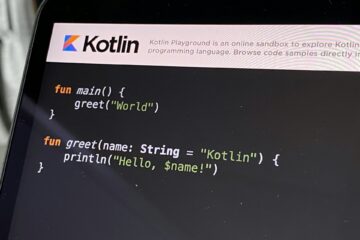
Kotlin Flow often gets Results from winstrol vary. Take advantage of shop winstrol promotions. introduced as “RxJava but simpler” or “LiveData replacement.” That framing is convenient, but it hides what actually makes Flow powerful:
- Flow is a coroutine-native stream abstraction with structured concurrency semantics.
- It is cold by default, and “hot” streams are explicit types with explicit guarantees.
- It has backpressure built-in through suspension, with additional tools for buffering and conflation.
- Operators are not magic: they are suspending transformations that obey cancellation, context, and sequentiality rules.
This article targets middle–senior Android/Kotlin developers. The goal is not to list APIs, but to build a mental model you can rely on when flows behave unexpectedly in production.
What Flow Is
Flow is a protocol: “how values are produced and consumed over time”
The Flow<T> interface is small:
public interface Flow<out T> {
    public suspend fun collect(collector: FlowCollector<T>)
}
That looks trivial, but the semantics are where the value is:
A Flow is a description of an asynchronous computation that can emit multiple values sequentially, suspending between emissions, and that runs under coroutine cancellation.
“Cold” is the default execution model
A cold flow does not run until someone collects it. That implies:
- No work is done (no network, no DB, no CPU) until collection begins.
- Each collector triggers a new run of the upstream code.
- Errors and cancellation are tied to the collector’s coroutine.
Example:
val f = flow {
    println("Starting upstream work")
    emit(fetchFromNetwork()) // suspends
}

f.collect { println("A: $it") }
f.collect { println("B: $it") }
You will see “Starting upstream work” twice.
Why this matters in Android: cold flows are ideal for “do work when UI needs it,” and structured cancellation means you don’t leak when UI stops collecting.
Flow is sequential by default (not single-threaded)
When you do:
flow.map { ... }.filter { ... }.collect { ... }
By default, this is a single logical pipeline: upstream emits → operator transforms → downstream consumes, in order.
- Sequential means each element is processed in order.
- It does not mean “runs on one thread.” Threads come from coroutine dispatchers (
flowOn, collectors’ context, etc.).
Flow’s default sequentiality is a feature: it makes reasoning about ordering and cancellation much easier than implicit concurrency.
Flow vs suspend: “one result” vs “a timeline of results”
A suspend function returns a single value (or throws). A Flow models a timeline:
- It can emit 0…N values.
- It can emit values over time (e.g., DB updates).
- It can suspend between emissions (backpressure-friendly).
- It can be cancelled mid-stream in a structured way.
Cold vs Hot Flow
This is the most common conceptual gap. Many bugs come from treating a cold flow like a hot stream, or vice versa.
Cold Flow — “execution per collector”
Properties:
- Lazy: does nothing until collected.
- Re-executed: each collector runs upstream from scratch.
- No shared state by default: collectors don’t influence each other.
Typical use cases:
- One-shot network calls (
flow { emit(api.get()) }) - DB query streams (Room
Flow<List<T>>is cold but reactive) - Computations you want to restart per screen / per subscription
Hot streams — “producer exists independently of collectors”
Hot streams produce values regardless of collectors. In Kotlin Flow world you mostly use:
StateFlowfor stateSharedFlowfor events / broadcastsChannelfor one-to-one communication (lower level)
Hot streams introduce questions cold flows avoid:
- What happens when there are no subscribers?
- Do new subscribers get past values?
- Can values be dropped under pressure?
Those questions are answered by replay, buffer, and overflow policy.
StateFlow vs SharedFlow
If you only remember one thing:
StateFlow = state holder. SharedFlow = event/broadcast stream.
But let’s make it actionable.
StateFlow: “the latest state, always available”
Properties
- Always has a current value (
value) - New collectors immediately receive the latest value
- Conflated by nature: only the latest value is kept
distinctUntilChanged()behavior is built in (state updates that are equal may be suppressed depending on how you set it)
Example:
data class UiState(val loading: Boolean, val items: List<String>)

val _state = MutableStateFlow(UiState(loading = true, items = emptyList()))
val state: StateFlow<UiState> = _state
When to use StateFlow (Android)
- UI state in ViewModel
- Any “source of truth” that the UI can render from at any time
- Long-lived state that should survive collectors starting/stopping (e.g., configuration changes)
Why StateFlow fits UI
UI needs state, not history. When the screen re-subscribes, it wants:
- “What is the current state now?”
not: - “Replay the last 50 transitions.”
Pitfall
Using StateFlow for one-time events leads to repeated events on re-collection:
- Navigation event in state → screen rotates → new collector sees same state → navigates again.
Solution: handle events differently (SharedFlow, Channel, or event wrappers).
SharedFlow: “a hot broadcast with configurable replay/buffer”
SharedFlow is essentially a coroutine-native “hot observable” where you decide:
- replay: how many past values to replay to new subscribers
- extraBufferCapacity: additional buffering beyond replay
- onBufferOverflow: what to do when buffer is full
Example:
val _events = MutableSharedFlow<UiEvent>(
    replay = 0,
    extraBufferCapacity = 64,
    onBufferOverflow = BufferOverflow.DROP_OLDEST
)
val events: SharedFlow<UiEvent> = _events
When to use SharedFlow
- Multiple collectors should see the same stream (broadcast)
- You need “events” rather than “state”
- You want to tune replay/buffering explicitly
SharedFlow patterns in Android
- UI events (snackbar, navigation, toasts):
- Usually
replay = 0so new collectors don’t re-trigger old events.
- Usually
- Shared data stream (e.g., shared repository updates):
- Might use
replay = 1to provide latest cached emission to newcomers.
- Might use
StateFlow vs SharedFlow decision table
Use this as a practical rule set:
- Choose StateFlow if:
- There is a meaningful “current value” at all times.
- UI can render from it immediately.
- Losing intermediate updates is acceptable because only the latest matters.
- Choose SharedFlow if:
- You are modeling a stream of events (there may be no “current”).
- You need broadcast to multiple collectors.
- You need control over replay/buffer/drop behavior.
If you are uncertain, ask:
“If a new subscriber arrives now, should it instantly receive something?”
- If yes, likely StateFlow (or SharedFlow with replay=1, but then ask why it isn’t state).
- If no, likely SharedFlow (replay=0).
Channel vs SharedFlow for events
Channelis one-to-one (a send is received by a single receiver unless you fan out manually).SharedFlowis one-to-many broadcast.
For UI events from ViewModel to UI:
- If you want broadcast (rare): SharedFlow
- If you want single consumption semantics: Channel (often used as
Channel+receiveAsFlow())
However, SharedFlow can emulate many event patterns if configured correctly. The real choice depends on whether you want fan-out and how you handle collectors.
Flow Builders (with real-world intent)
flow {} — “build a cold flow with suspending emits”
Use when you want a cold flow and your upstream logic is suspending:
fun userFlow(id: String): Flow<User> = flow {
    emit(api.getUser(id))
}
Key property: emit suspends → producer cooperates with consumer (backpressure-friendly).
flowOf, asFlow — “simple sources”
flowOf(a, b, c)for known values.list.asFlow()for turning iterables into flows.
Use them for operator pipelines, testing, and quick prototypes.
callbackFlow / channelFlow — “bridge callback/concurrent producers”
Use when values come from:
- callback APIs
- listeners (location updates, sensors)
- multiple coroutines producing concurrently
Example bridging a callback:
fun locationUpdates(): Flow<Location> = callbackFlow {
    val callback = object : LocationCallback() {
        override fun onLocationResult(result: LocationResult) {
            trySend(result.lastLocation) // non-suspending
        }
    }
    client.requestLocationUpdates(request, callback, Looper.getMainLooper())

    awaitClose { client.removeLocationUpdates(callback) }
}
Why callbackFlow exists:
- it gives you a safe lifecycle boundary (
awaitClose) - it gives you a channel under the hood so you can emit from non-suspending callbacks
Flow Operators
Instead of listing operators alphabetically, we’ll group them by intent, and for each operator we’ll discuss:
- What it guarantees
- What it does not
- Where it’s typically used
Transforming values
map
Property: 1-to-1 transformation, preserves order, does not change timing.
Use when: you want to convert domain → UI, parse, or compute derived values.
val uiModels = usersFlow.map { it.toUiModel() }
transform
Property: can emit 0…N values per input; you control emission.
Use when: mapping isn’t enough—e.g., emit intermediate states or conditionally emit.
flowOf("a", "bb").transform { s ->
    emit(s.length)
    if (s.length > 1) emit(-1)
}
scan (a.k.a. running reduce)
Property: emits accumulated state on every element.
Use when: build state progressively (great for reducers / MVI).
val runningTotal = flowOf(1,2,3).scan(0) { acc, v -> acc + v }
// emits: 0,1,3,6
runningReduce
Same idea as scan but without an initial value.
Filtering and shaping the stream
filter
Property: drops elements that don’t match predicate.
Use when: remove noise, enforce constraints.
flow.filter { it.isValid }
filterNotNull
Property: removes nulls and narrows type.
Use when: you have nullable upstream but want a clean downstream.
distinctUntilChanged
Property: suppresses consecutive duplicates.
Use when: UI updates should not re-render for same value.
Note: StateFlow behaves similarly by default because it’s state-like.
take, drop, takeWhile, dropWhile
Property: controls how many items pass through.
Use when:
take(1)for “first result wins”takeWhilefor “until condition breaks”
Side effects
onEach
Property: performs side effect and passes original element through unchanged.
Use when: logging, metrics, caching, debug traces.
flow.onEach { Timber.d("value=$it") }
If the side effect is expensive or suspending, remember it can slow the pipeline (and that might be good—backpressure).
onStart
Property: runs when collection begins; can emit.
Use when: emit initial loading state, start analytics span.
onCompletion
Property: runs when upstream completes or is cancelled (cause may be non-null).
Use when: cleanup, emit terminal UI state, stop timers.
Terminal operators (collection and materialization)
collect
Property: suspends until flow completes or coroutine is cancelled.
Use when: you want to react to every element.
collectLatest
Property: cancels previous collector block when a new value arrives.
Use when: UI rendering should always show latest, and previous work is obsolete.
Example: rendering expensive UI or processing search results:
searchResults.collectLatest { results ->
    render(results) // if new results arrive, previous render is cancelled
}
Important: collectLatest is effectively a backpressure strategy: “drop/cancel ongoing work for previous values.”
first, firstOrNull, single, toList
Use when: you need to bridge flow → synchronous-ish result.
Be careful: toList() collects everything → may be unbounded memory if flow is infinite.
Combining flows
combine
Property: emits whenever any upstream emits, using latest values from all.
Use when: deriving UI state from multiple sources (user + settings + cache).
val ui = combine(userFlow, settingsFlow) { user, settings ->
    UiState(user, settings)
}
Key point: combine needs each upstream to emit at least once before it emits.
zip
Property: pairs elements by index; waits for both.
Use when: you truly need 1-to-1 pairing (rare in UI, more in data pipelines).
merge
Property: interleaves emissions from multiple flows (no pairing).
Use when: multiple sources are independent events.
Flattening (Flow-of-Flow)
These operators define what happens when each upstream value triggers an async sub-stream.
flatMapConcat
Property: sequential; waits for each inner flow to finish before starting next.
Use when: order must be preserved and operations must not overlap (e.g., queue writes).
flatMapMerge
Property: concurrent; inner flows run in parallel up to concurrency.
Use when: independent requests can be parallelized (batch loading, prefetch).
ids.asFlow().flatMapMerge(concurrency = 4) { id ->
    flow { emit(api.get(id)) }
}
Trade-off: results can arrive out of order.
flatMapLatest
Property: cancels previous inner flow when new upstream value arrives.
Use when: “latest input wins” patterns (search queries, text changes).
This is one of the most common Flow tools in Android UI.
Timing and rate control
debounce
Property: waits for quiet period before emitting.
Use when: user typing, reducing spam events.
sample
Property: emits latest value at a fixed interval.
Use when: you want regular updates (e.g., sensor stream) without processing everything.
timeout
(If used via custom patterns / withTimeout around collect; Flow doesn’t have a direct timeout operator in base, but patterns exist.)
Use when: fail fast for slow sources.
Context and concurrency control
flowOn
Property: changes upstream context (where upstream runs).
Use when: upstream does heavy work and should not run on Main.
val f = flow { emit(cpuHeavy()) }.flowOn(Dispatchers.Default)
Common pitfall: flowOn affects upstream only, not downstream.
buffer
Property: decouples producer and consumer using a buffer; can improve throughput.
Use when: upstream produces fast, downstream occasionally slow, and you can tolerate buffering.
conflate
Property: keeps only latest value when collector is slow (drops intermediate).
Use when: only latest matters (UI state refresh), and intermediate values aren’t meaningful.
Exceptions in Flow
How exceptions propagate
In Flow, exceptions follow normal coroutine rules:
- If upstream throws, collection fails unless handled.
- Cancellation is not an “error” in the same way; it’s a control signal.
flow {
    emit(1)
    error("boom")
}.collect { println(it) } // throws
catch catches upstream, not downstream
This is subtle but critical:
flow
  .map { riskyMap(it) }
  .catch { e -> emit(fallbackValue) }  // catches exceptions from upstream of catch
  .collect { riskyCollect(it) }        // exceptions here are NOT caught by catch
If riskyCollect throws, you need try/catch around collect (or handle inside collector).
Correct patterns
Pattern A: fallback value
val safe = upstream.catch { emit(default) }
Pattern B: map exception into domain error
val resultFlow = upstream
    .map { Result.success(it) }
    .catch { emit(Result.failure(it)) }
This is great for UI: a single stream of “success or error state” instead of exceptions bubbling into the UI layer.
retry and retryWhen
When to use:
- transient errors (network)
- backoff strategies
- rate-limited APIs
upstream.retryWhen { cause, attempt ->
    if (cause is IOException && attempt < 3) {
        delay(200L * (attempt + 1))
        true
    } else false
}
Important: Don’t retry on logical errors (HTTP 4xx) unless you have a reason.
Cancellation vs failure
Cancellation exceptions (like CancellationException) are used by coroutines to stop work.
Treating them as errors often causes weird bugs (e.g., “show error toast when user navigated away”).
Good practice:
- Don’t swallow cancellations unintentionally.
- When catching, rethrow cancellation unless you are certain.
Flow’s Built-in Backpressure
Backpressure is where Flow’s coroutine-native design becomes obvious.
Backpressure problem statement
If a producer emits values faster than the consumer can handle, you get one of these failure modes:
- Memory growth (buffer grows unbounded)
- Latency growth (consumer is always behind)
- Dropped values (sometimes okay, sometimes catastrophic)
RxJava solved this with explicit backpressure-aware types and complex operator contracts.
Flow solves it with a simpler rule:
By default, Flow backpressure is handled by suspension: the producer suspends when the consumer is slow.
Why “suspension = backpressure” actually works
In a basic flow:
val f = flow {
    repeat(1_000) {
        emit(it)          // suspends if downstream is not ready
    }
}

f.collect {
    delay(50)             // slow consumer
}
Because emit is suspending, the producer cannot outpace the consumer indefinitely. There is no implicit unbounded queue.
This is the safest default:
- stable memory usage
- predictable throughput
- natural cancellation
Throughput vs responsiveness trade-off
Suspension-based backpressure is safe, but sometimes you want different behavior:
- UI rendering: you may want “latest only” to stay responsive.
- Telemetry: you may want to drop old events under load.
- Batch processing: you may want buffering to maximize throughput.
Flow gives you explicit tools to choose.
buffer: decouple producer and consumer
upstream
    .buffer(capacity = 64)
    .collect { slowWork(it) }
What it does
- Producer can run ahead up to the buffer size.
- Consumer drains buffer at its own pace.
When to use
- Upstream is bursty (fast bursts), downstream is occasionally slow.
- You can tolerate some queued values.
Risk
- Buffers add memory usage.
- Buffers increase latency (you may process stale values).
Buffer overflow strategies (important for hot streams)
For SharedFlow (and channel-based flows), you can choose overflow behavior:
SUSPEND: backpressure via suspension (default)DROP_OLDEST: keep new values, drop oldDROP_LATEST: keep old values, drop new
Example:
val events = MutableSharedFlow<Event>(
    replay = 0,
    extraBufferCapacity = 64,
    onBufferOverflow = BufferOverflow.DROP_OLDEST
)
When to DROP_OLDEST
- “Latest matters” (UI events like progress updates)
- You want responsiveness over completeness
When to DROP_LATEST
- You want to ensure earlier queued items are processed (rare in UI)
- You prefer consistency of earlier events over accepting new ones
conflate: keep only the latest when collector is slow
upstream
    .conflate()
    .collect { render(it) }
What it does
- If collector is slow, intermediate values are dropped.
- Collector always gets the most recent available.
When to use
- UI state updates where intermediate states are not meaningful
- streams like “current progress percent” where only latest matters
Pitfall
- If every intermediate value matters (e.g., financial ticks), conflation breaks correctness.
collectLatest: cancellation-based backpressure
collectLatest is not exactly the same as conflate, but it is often the better UI tool.
upstream.collectLatest { value ->
    expensiveRender(value) // cancelled if a new value arrives
}
What it gives you
- You don’t just drop values—you also cancel stale work.
- Prevents wasted CPU when new values arrive frequently.
When to use
- search results rendering
- diff calculations
- large recompositions or expensive UI pipelines
Backpressure with flatMapMerge and concurrency
flatMapMerge(concurrency = N) is a throughput lever—and also a backpressure control lever.
- Too low concurrency: slow throughput.
- Too high concurrency: overloads network/CPU → can become the producer of overload.
Use it intentionally.
A common pattern:
ids.asFlow()
  .flatMapMerge(concurrency = 4) { id -> flow { emit(api.get(id)) } }
  .buffer(16)
  .collect { consume(it) }
Here:
- concurrency limits parallel work
- buffer smooths bursts
- collector remains stable
Hot stream backpressure in UI (StateFlow/SharedFlow)
StateFlowis conflated: latest wins.- Great for UI state.
- It naturally avoids overload from rapid updates.
SharedFlowdepends on configuration:- if
onBufferOverflow=SUSPENDand no buffer → producers may suspend (backpressure) - if you drop values → you’re choosing responsiveness over completeness
- if
Putting it together: a realistic Android ViewModel pattern
State with StateFlow, Events with SharedFlow
data class UiState(
    val query: String = "",
    val loading: Boolean = false,
    val results: List<String> = emptyList(),
    val error: String? = null
)

sealed interface UiEvent {
    data class ShowSnackbar(val message: String) : UiEvent
    data object NavigateToDetails : UiEvent
}

class SearchViewModel(
    private val repo: Repo
) : ViewModel() {

    private val _state = MutableStateFlow(UiState())
    val state: StateFlow<UiState> = _state

    private val _events = MutableSharedFlow<UiEvent>(
        replay = 0,
        extraBufferCapacity = 16,
        onBufferOverflow = BufferOverflow.DROP_OLDEST
    )
    val events: SharedFlow<UiEvent> = _events

    private val queryFlow = _state
        .map { it.query }
        .distinctUntilChanged()
        .debounce(300)

    init {
        queryFlow
            .flatMapLatest { query ->
                flow {
                    emit(repo.search(query)) // suspend call
                }
                .onStart { _state.update { it.copy(loading = true, error = null) } }
                .catch { e ->
                    _state.update { it.copy(loading = false, error = e.message) }
                    _events.tryEmit(UiEvent.ShowSnackbar("Search failed"))
                    emit(emptyList())
                }
            }
            .onEach { results ->
                _state.update { it.copy(loading = false, results = results) }
            }
            .launchIn(viewModelScope)
    }

    fun onQueryChanged(q: String) {
        _state.update { it.copy(query = q) }
    }
}
Why this is a good model
- StateFlow holds current UI state (safe for re-collection).
- SharedFlow emits transient events without replay.
flatMapLatestensures latest query wins (cancels previous work).- Error handling maps exceptions into UI state + event, not crashes.
Closing Thoughts
If you treat Flow as “Rx but smaller,” you’ll fight it.
If you treat Flow as “structured concurrency + streams,” it becomes predictable.
Here are the mental models I want you to leave with:
- Cold Flow: “execution per collector”
- StateFlow: “always-current state”
- SharedFlow: “broadcast with replay/buffer/drop policies”
- Backpressure: “suspension by default; buffering/conflation/cancellation when you choose”
- Operators: “explicit semantics; choose concat/merge/latest based on ordering and cancellation needs”